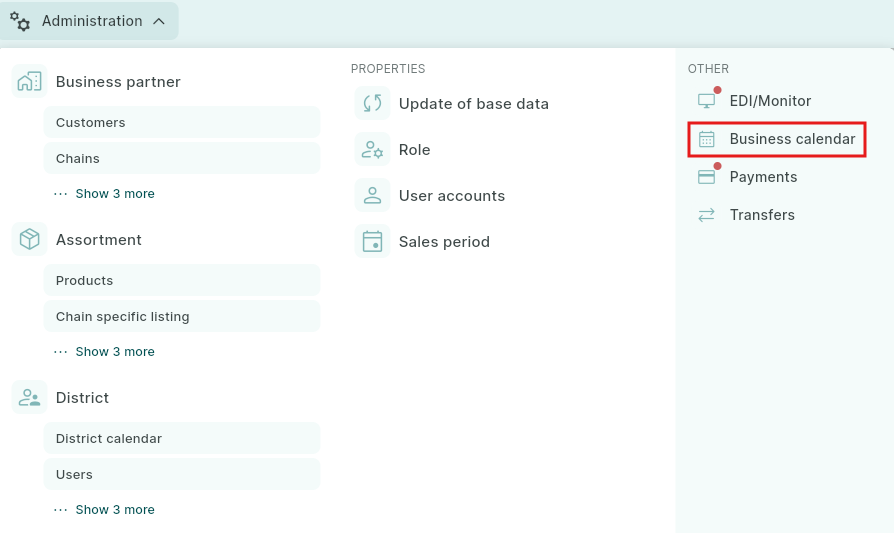
The Business Calendar is used to add events that apply to the entire company, such as conferences, and can also be used by back office to register, for example, vacation or sick leave for a salesperson.
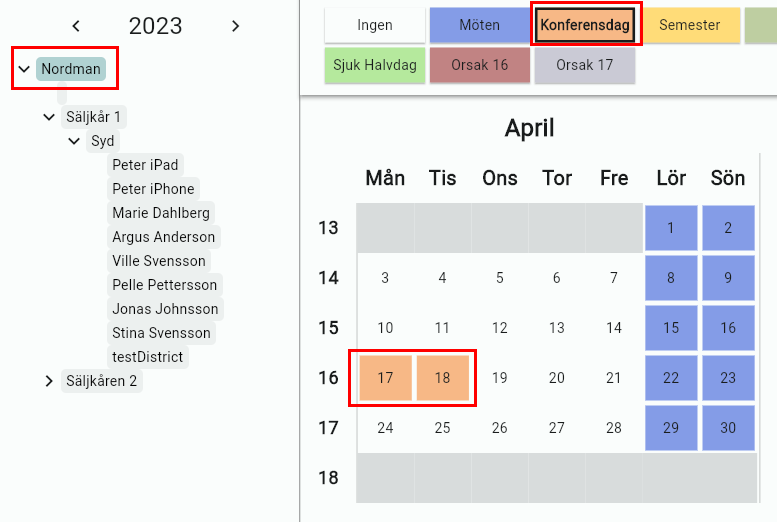
To add an absence reason for all salespeople, for example Conference, click the Group name, select the reason, and mark the days it applies to. The absence reason will then be saved for everyone.
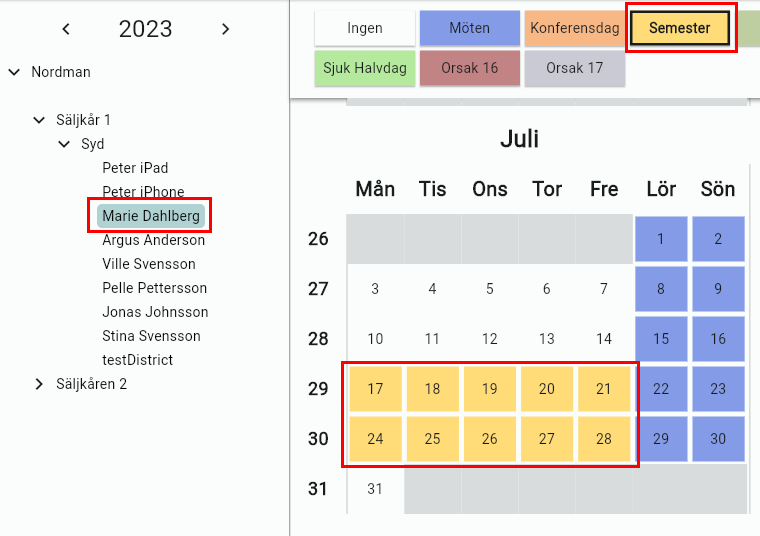
If you only want to add an absence reason for one salesperson, click the name in the left column, select the reason, for example Vacation, and mark the days it applies to by clicking them. This will then be saved for only that specific person.
The days you mark with an absence reason in the calendar are excluded from, for example, different types of visit reports.
As a result, correct average visit figures are shown in the reports.
If you would like to add additional reasons to the calendar, please contact us for assistance.
Was this article helpful?
That’s Great!
Thank you for your feedback
Sorry! We couldn't be helpful
Thank you for your feedback
Feedback sent
We appreciate your effort and will try to fix the article